

Changelog and updates
Browse this changelog
Major releases, thoughtful improvements, and the fixes that keep hiring moving.
Question Templates
Save question sets as templates and add them to any role from Add question.
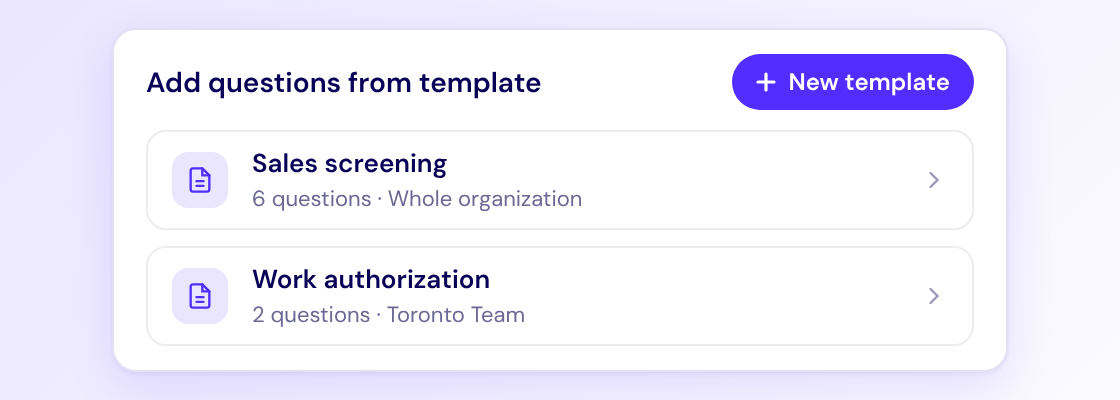
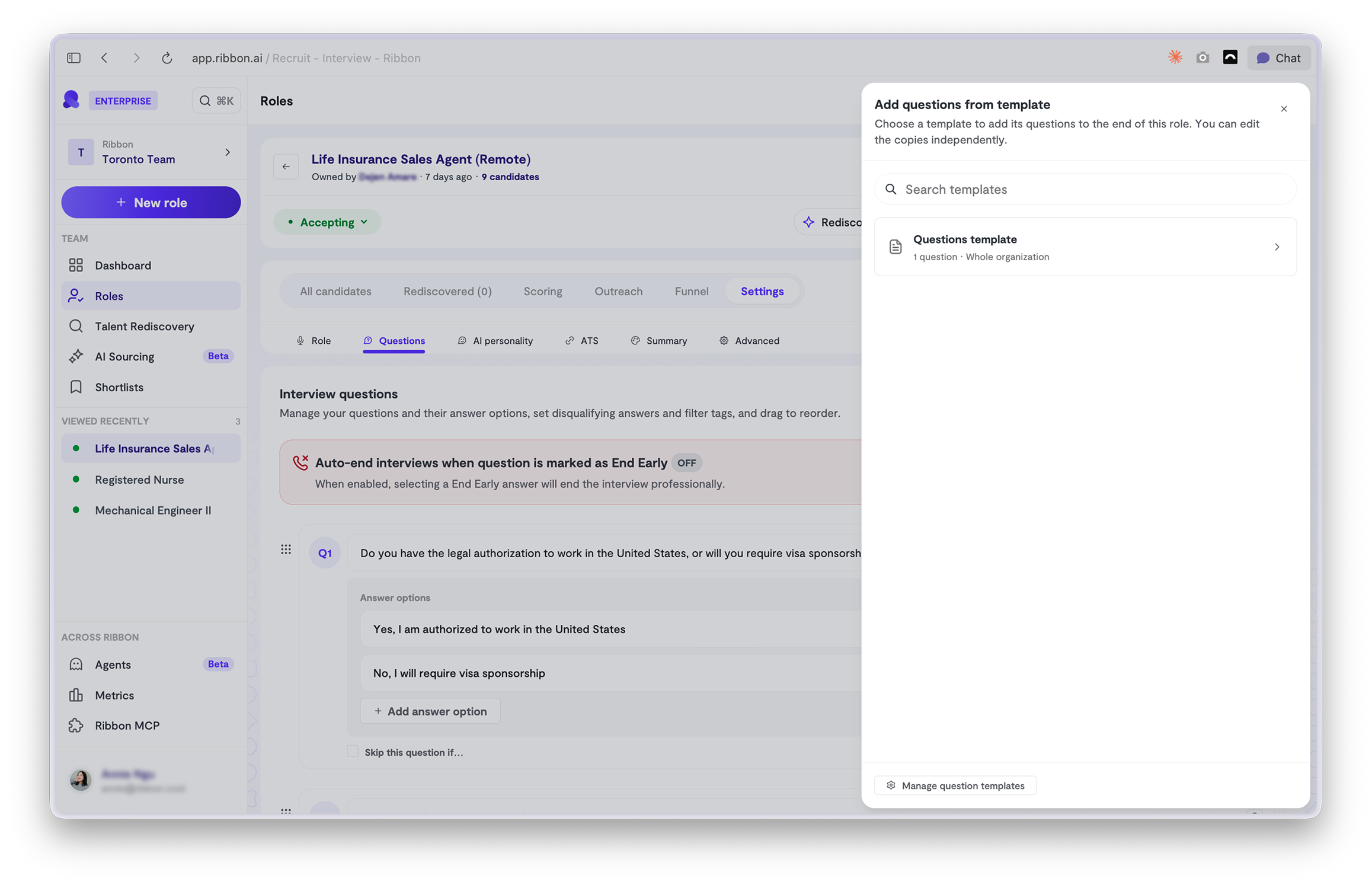
- Stop rewriting the same questions. Work authorization, availability, licensing. Build them once and reuse them on every role.
- Consistent wording, every role. Add from the template instead of retyping, so the same question reads the same everywhere.
- Still yours to tweak. Questions are copied into the role, so edit answer options, End Early rules and order per role without touching the template.
Also shipped
Agents
Describe a recruiting task in plain English and Ribbon turns it into an agent that does it for you, on a schedule or the moment something happens in your pipeline.

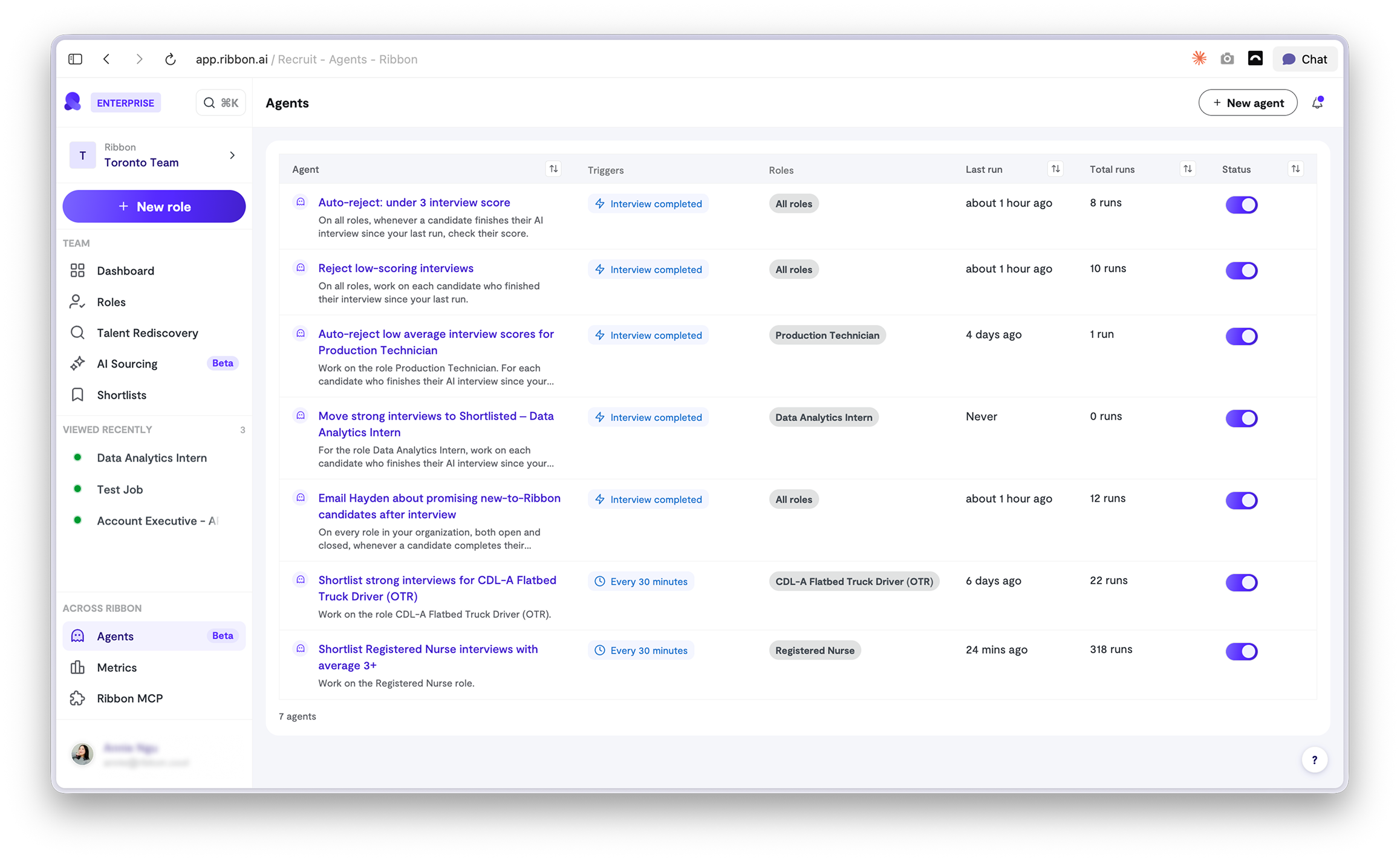
Set it up in one sentence. Type what you want done. Ribbon writes the steps and shows you them before anything runs. No workflow builder to learn.
Runs when you need it. Trigger an agent on events like a completed interview, or put it on a schedule, like every 30 minutes.
Strong candidates reach you first. Shortlist top interviews automatically or email your hiring manager the moment someone impressive finishes. No more top talent buried in a queue.
Set it once, cover every role. Scope an agent to one role or your whole org.
Always know what happened. Every run shows when, what and who. Switch off any agent in one click.
Also shipped
Shortlists
Add candidates from any interview into one list, for a role or a talent pool. Lists stay private until you share, and the link is view-only. Anyone with it can view for 180 days, no Ribbon account needed.
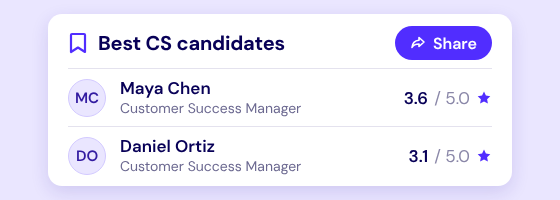
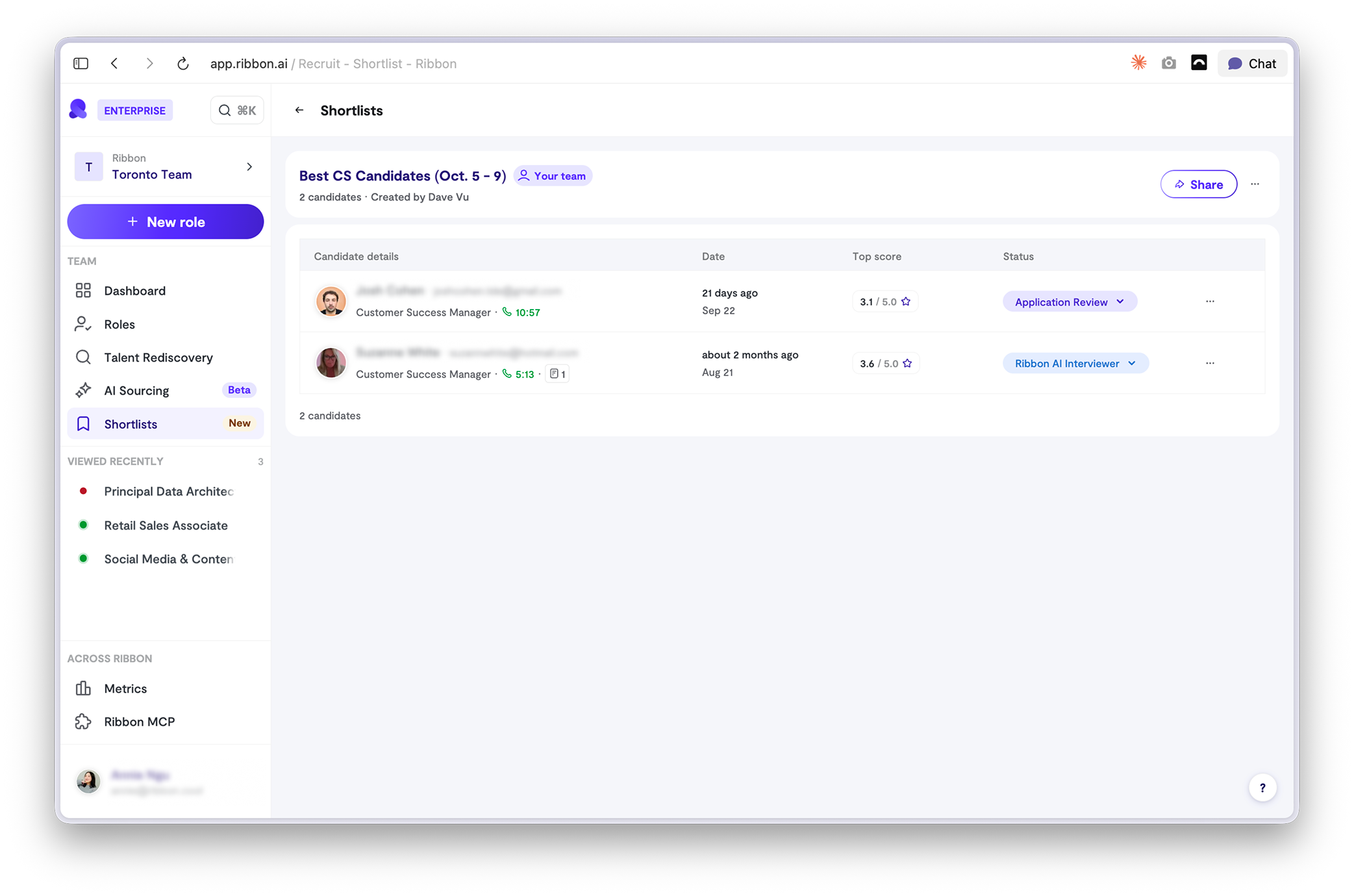
- One list, any interview. Mix candidates from different interview flows, for one role or a talent pool.
- You stay in control. Lists are private until you share. Your team can edit, and the public link is view-only.
- No login needed. Hiring managers open the link and see your picks, even without a Ribbon account.
Also shipped
Multi-requistions
Link many requisitions to a single role.
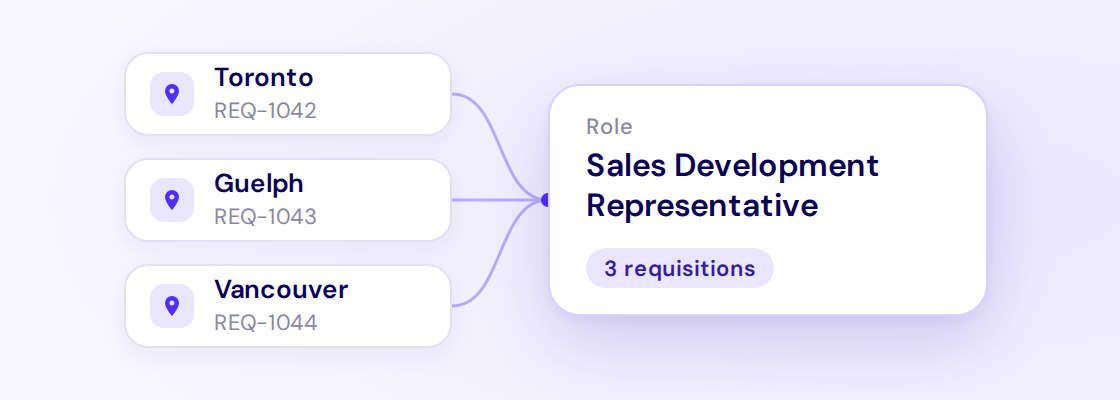
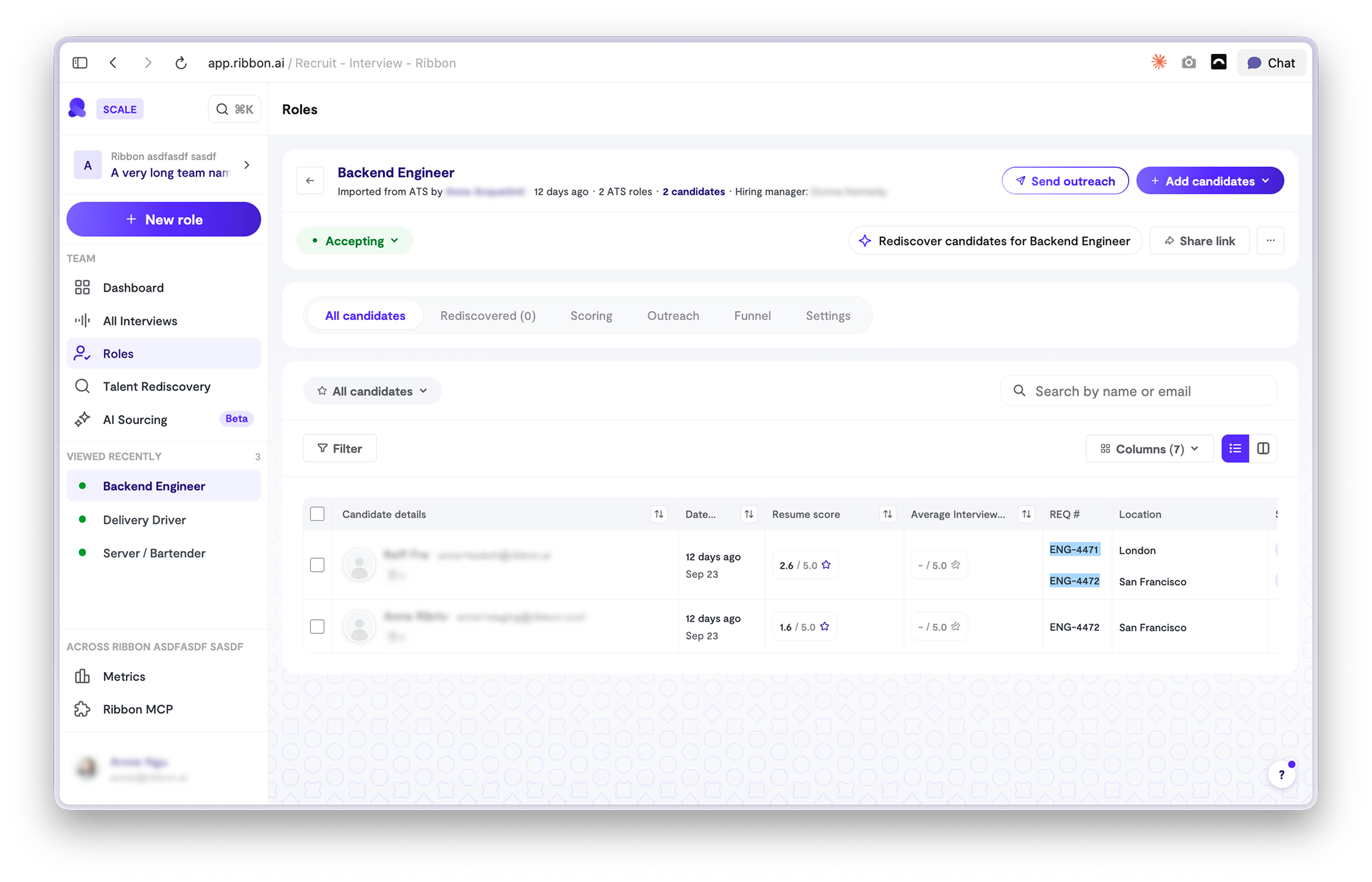
Hours back. Hiring in 10 locations? Set up one role, not 10.
Compare fairly. Every candidate answers the same questions, so you can rank them side by side.
Clean ATS. Each candidate lands on the right requisition, no cleanup.
⚖️ Weighted scores
Add more or less weight to criteria that make or break the role.

Stop reviewing the wrong people. Must-haves decide who ranks highest.
Shortlist faster. Your top picks are already at the top.
💬 SMS and WhatsApp outreach
Text candidates automatically when they move to a new stage.
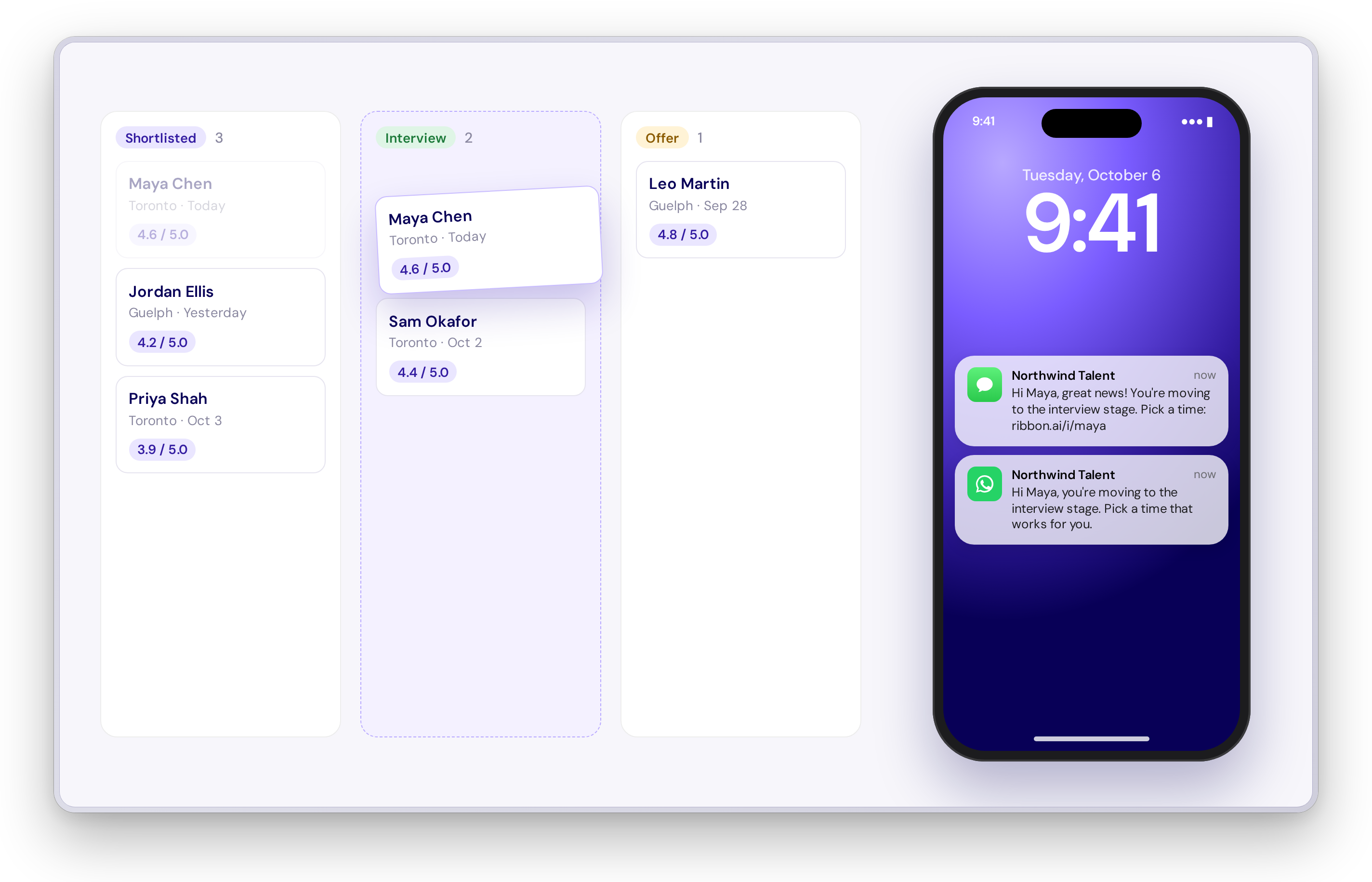
Fewer candidates go cold. Texts get read. Emails get buried.
One less task. Ribbon follows up so you don't have to.
🗂️ Kanban view
Switch any interview flow to a kanban view, plus new saved views.
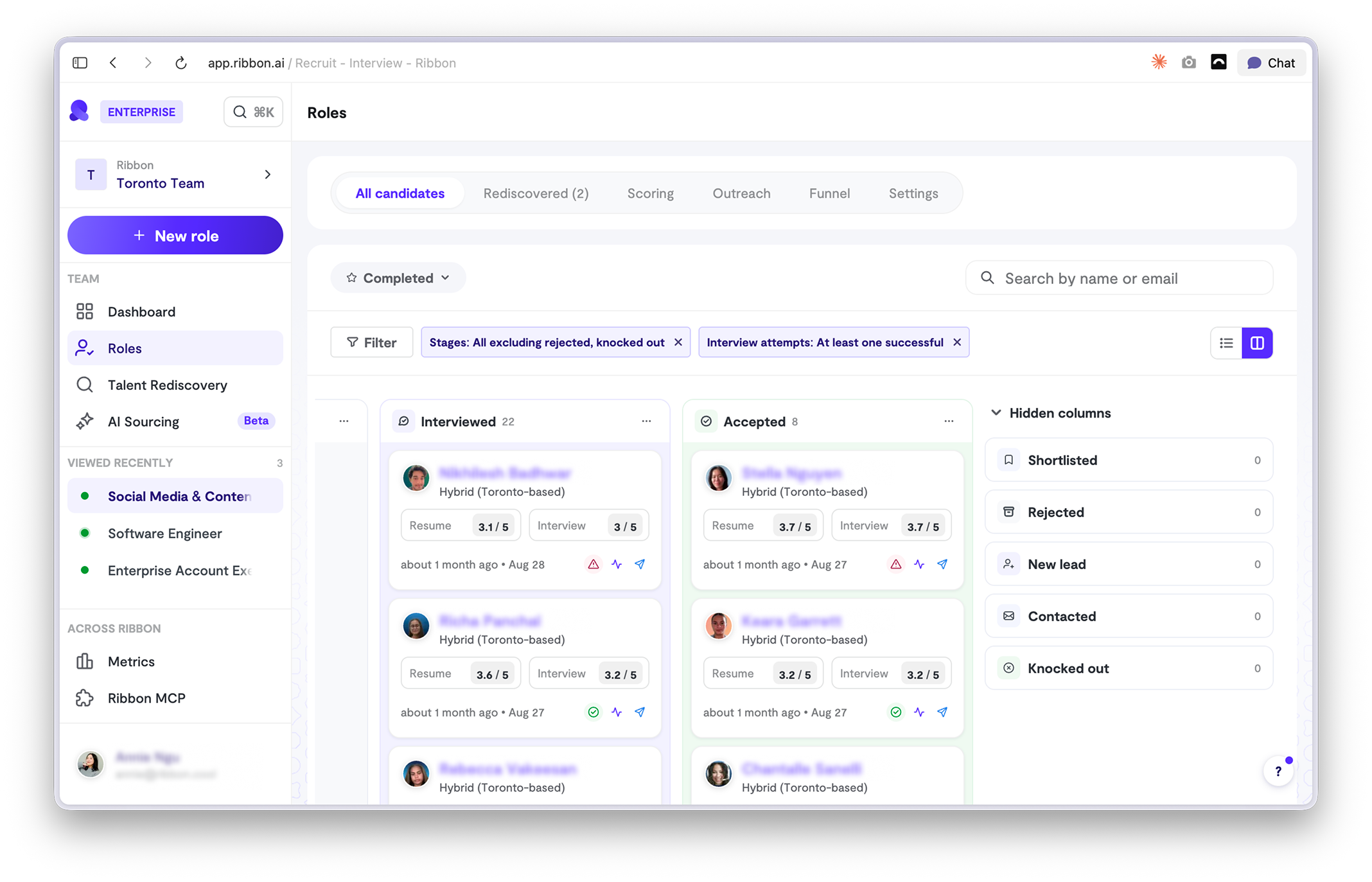
Status at a glance. Every stage, every candidate, one screen.
Built-in views. Filter by outreach sent or interview attempts in one click.
Spot who's stuck. See who never started or needs a nudge.
Also shipped
Delete and retry interviews
Fix broken interviews right from the candidate's row.
New sourcing provider
A bigger talent pool with more profiles per search.
Outreach opt-out per role
Turn off email, SMS, or WhatsApp where you don't need it.
View in ATS
One click from any candidate to their ATS profile.
Import your own questions
Paste a list or upload a CSV. Ribbon asks your questions in every interview and scores candidates on them.
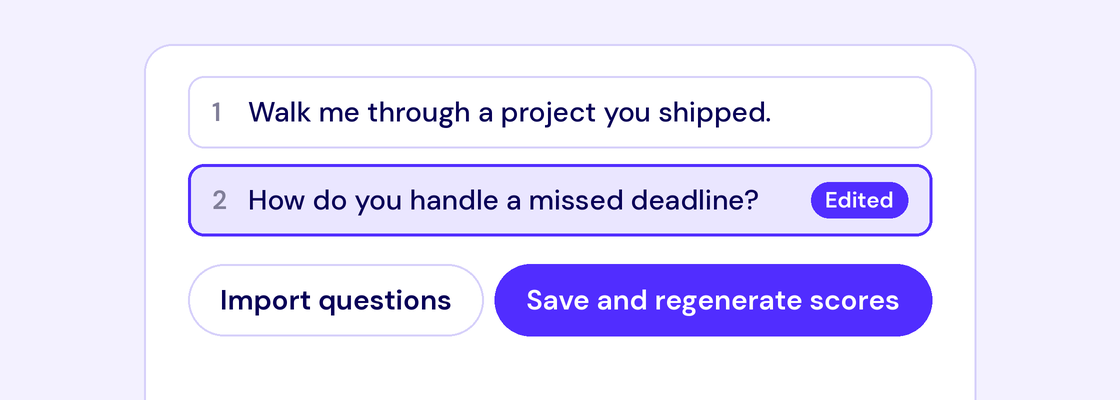
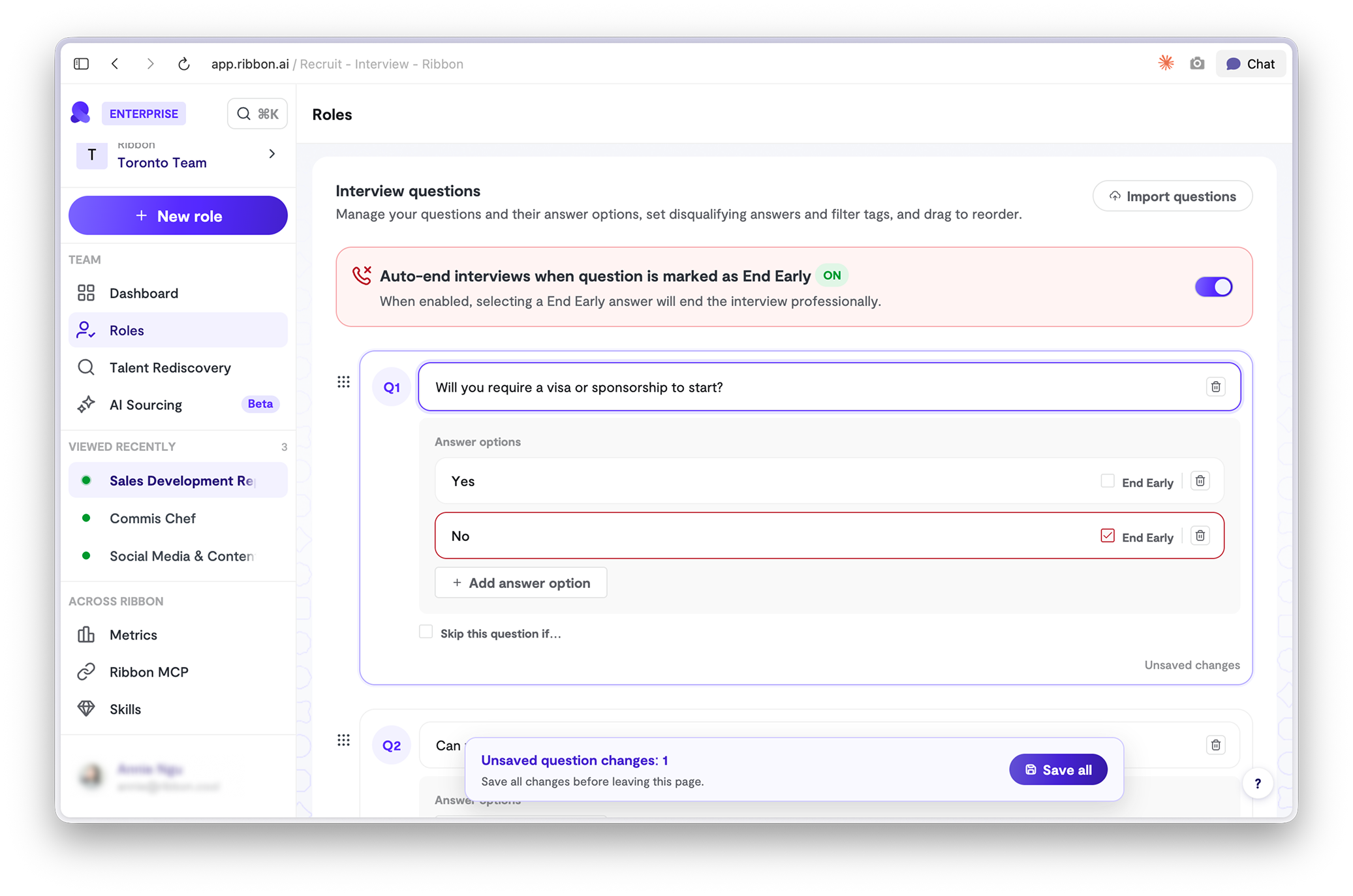
Open a role, then Settings, then Questions, then Import questions. Hit Save and regenerate when you're done.
- Keep what already works. Your proven questions, no retyping, no rewriting.
- Consistent with the rest of your process. Ribbon asks the same things your recruiters would.
- Scoring done for you. Ribbon writes the scoring criteria for every question you bring, so you're live in minutes.
📊 Diversity metrics
A new Metrics tab shows how your pipeline breaks down at each stage, from applied to hired.
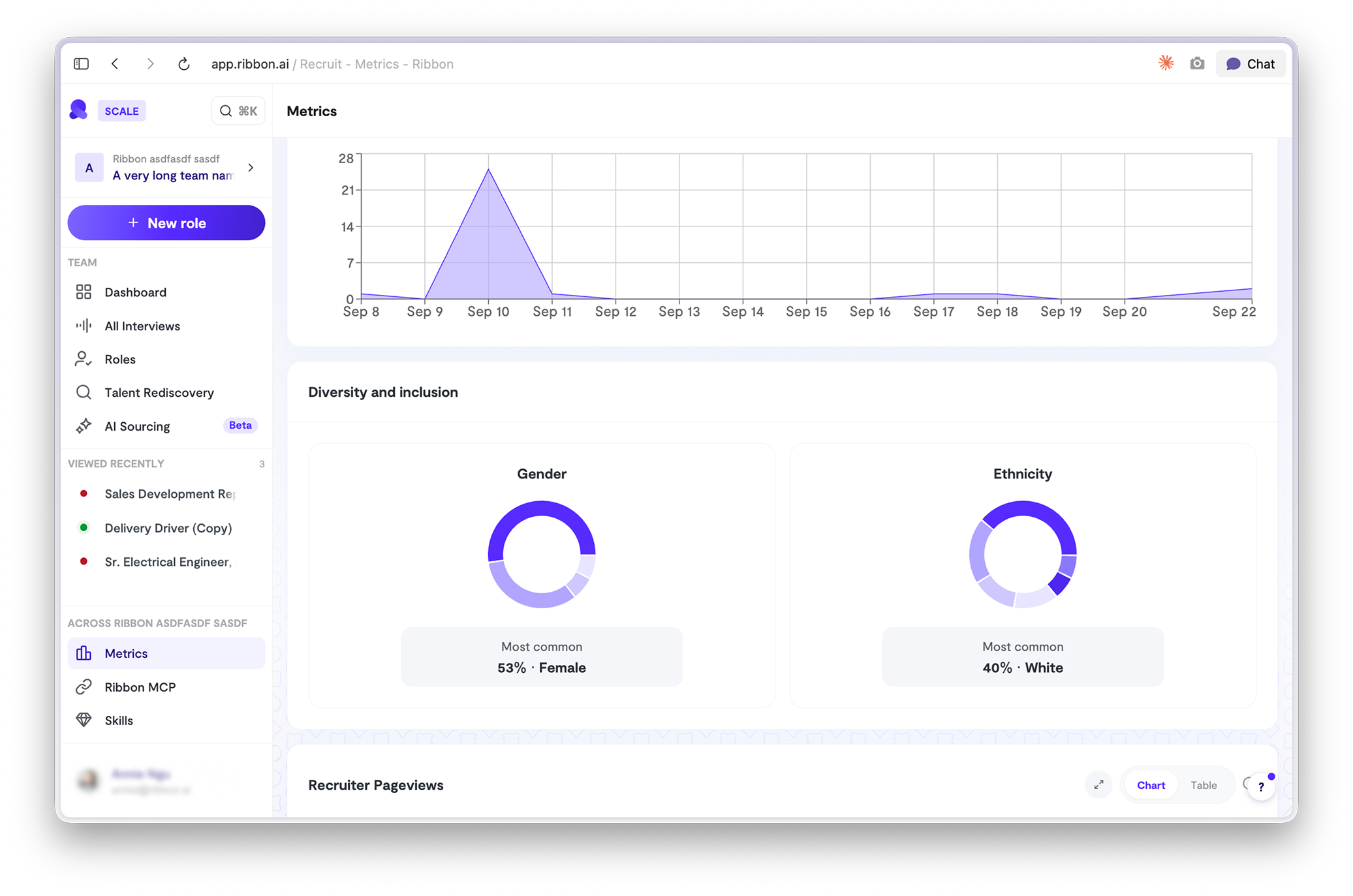
Open Metrics, then Diversity and inclusion.
- Catch bias before the offer. See which stage is filtering out groups and fix the process, not the outcome.
- Answer leadership in one click. Per-role or account-wide numbers, no spreadsheet.
- Back up your sourcing. Prove whether new channels are actually widening the funnel.
Also shipped
Teach Ribbon how to score
Disagree with a score? Say why. Ribbon learns from your feedback and scores the next candidate closer to how you would.
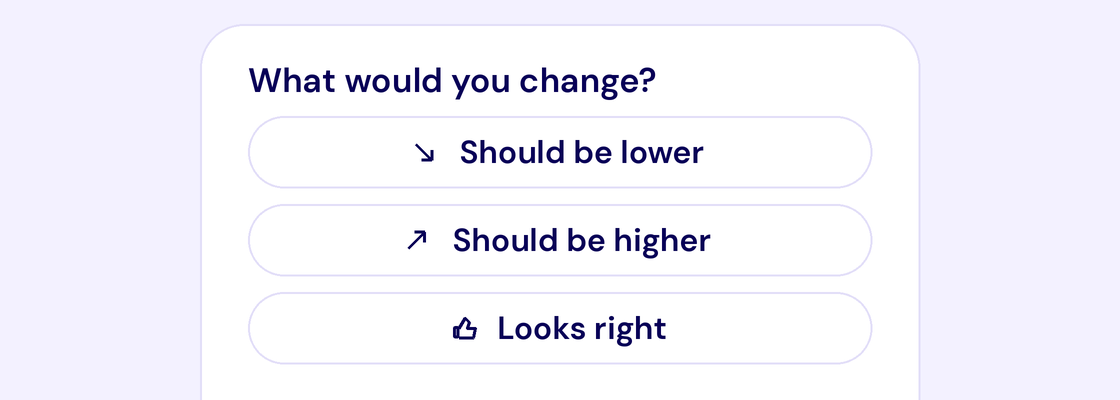
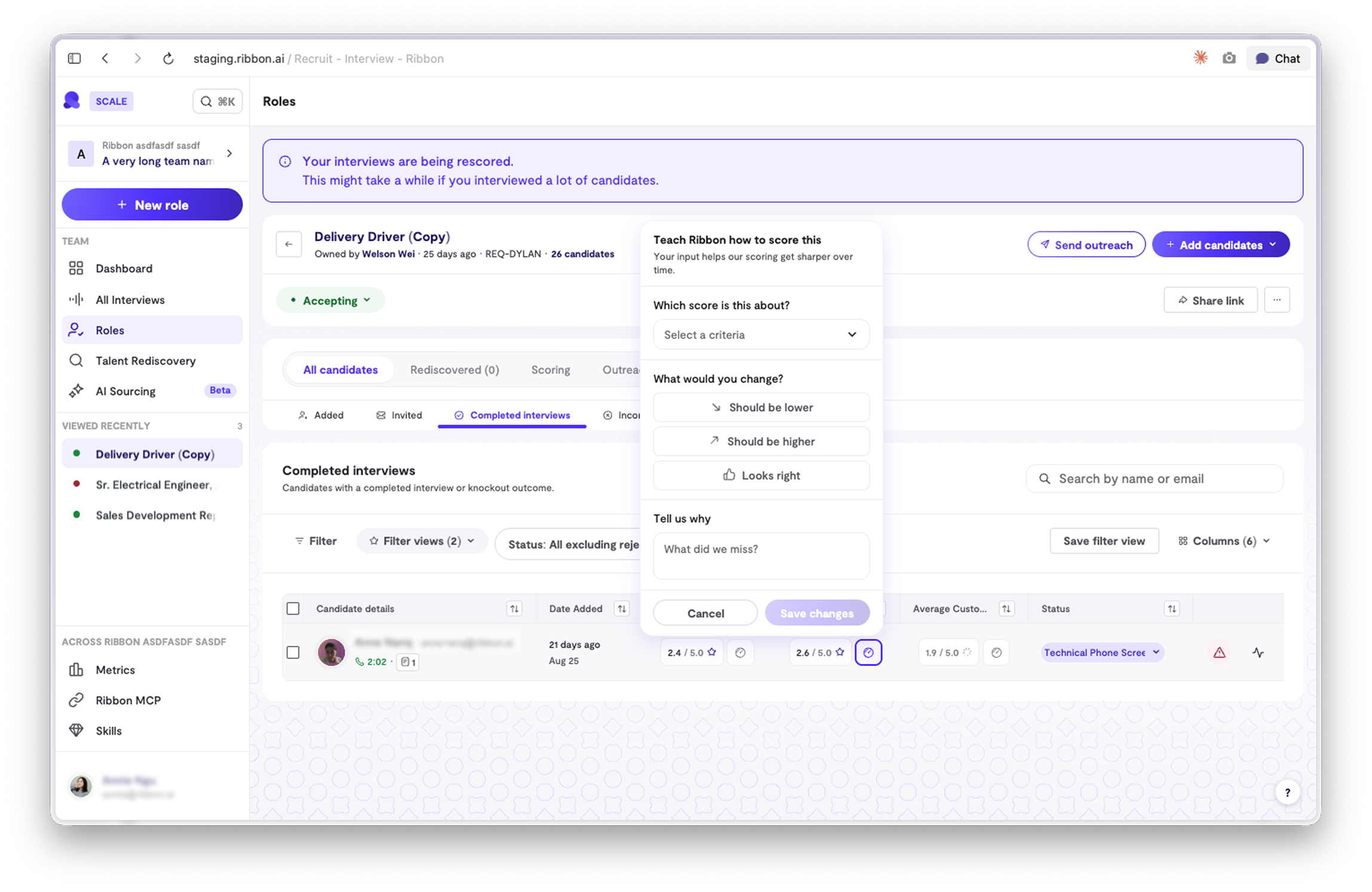
- Your bar, not ours. Scores drift toward what you actually reward.
- One note, many candidates. Feedback applies to the whole role, not just this person.
- Less second-guessing. Fewer scores to overrule as the model catches up to you.
📋 Import questions from a CSV or a paste
Bring your existing question list into Ribbon in one step. Upload a CSV or paste plain text and every line becomes a question.
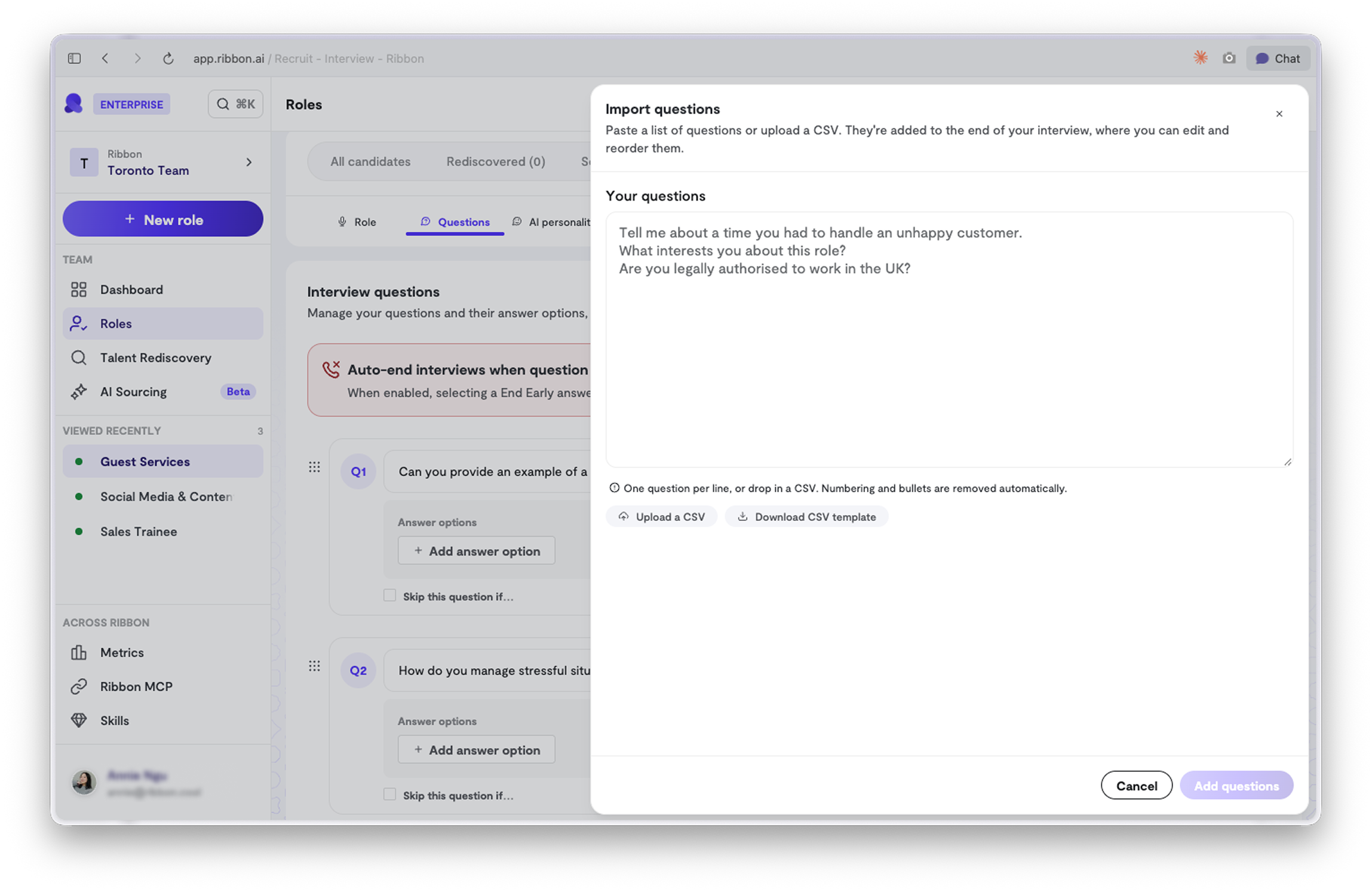
- No retyping. Your Google Sheet or old ATS export drops straight in.
- Bulk by default. Ten questions or two hundred, same click.
- Edit after. Reorder, tweak, or delete once they land.
📅 Close a role on a date
Set a close date and Ribbon stops accepting new interviews when it arrives. No reminder needed.
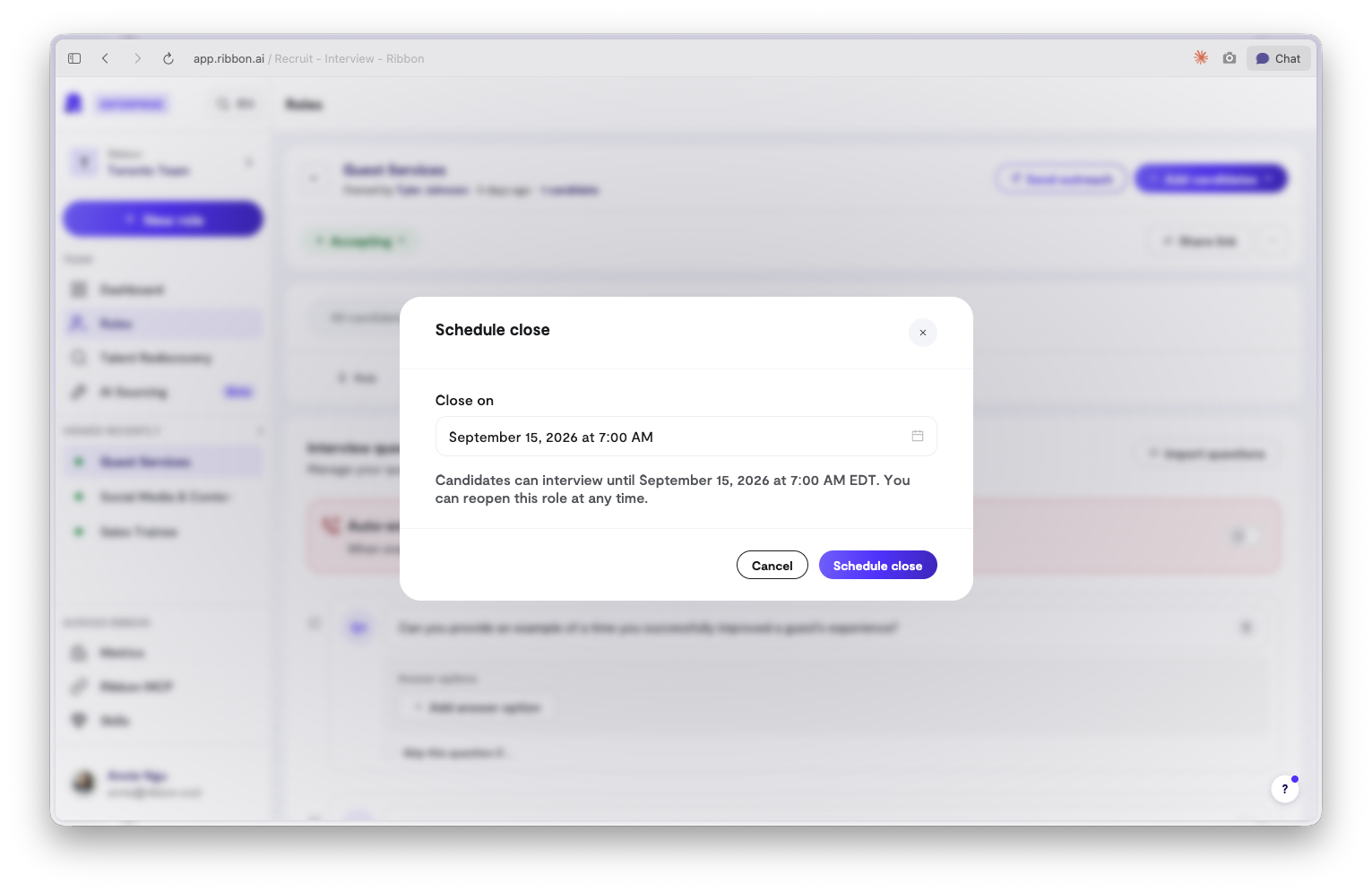
- Deadlines hold themselves. Application windows end when you said they would.
- Nothing slips through. No late completions after the cutoff.
- Set it at launch. Decide the end when you open the role and move on.
Also shipped
MCP for everyone
Ribbon MCP is on for all accounts. Ask your ATS questions from Claude or any MCP client.
Question tab on candidates
Every answer, grouped by question, on the candidate page.
Talent rediscovery to pipeline
Add candidates straight from a rediscovery search into a role.
Import candidates from resumes
Upload resumes and Ribbon turns each one into a candidate, ready to invite.
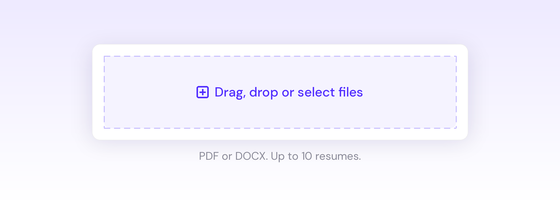
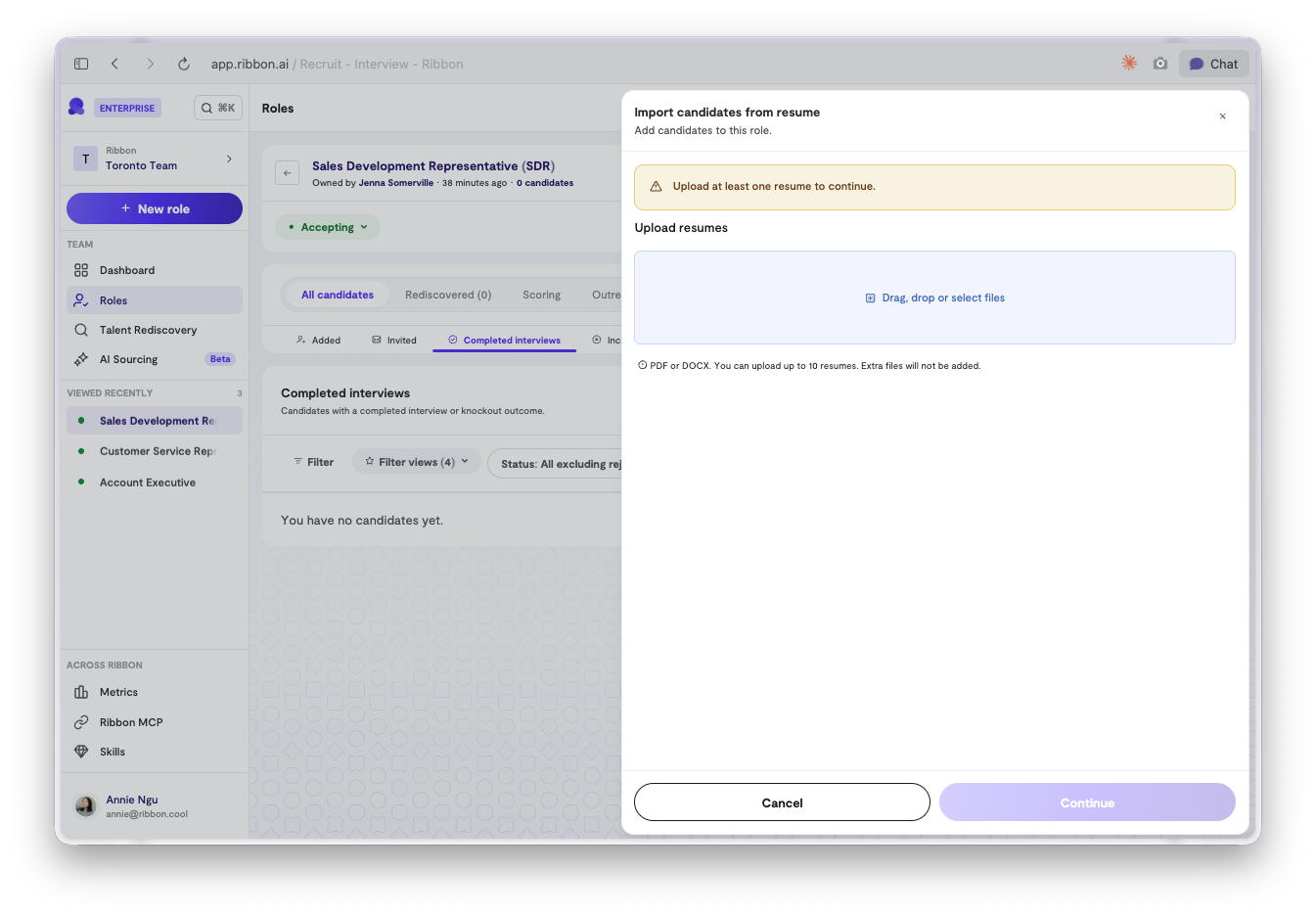
- No manual entry. Name, email, and resume filled in from the file.
- Works in bulk. Drop in one or a hundred.
- Scored on arrival. Resume scoring runs the moment they land.
- Not just the ATS. Referrals, job fairs, inbound email, all in.
🗣️ Hear the voice before you pick it
Every AI interviewer voice now plays a live preview.
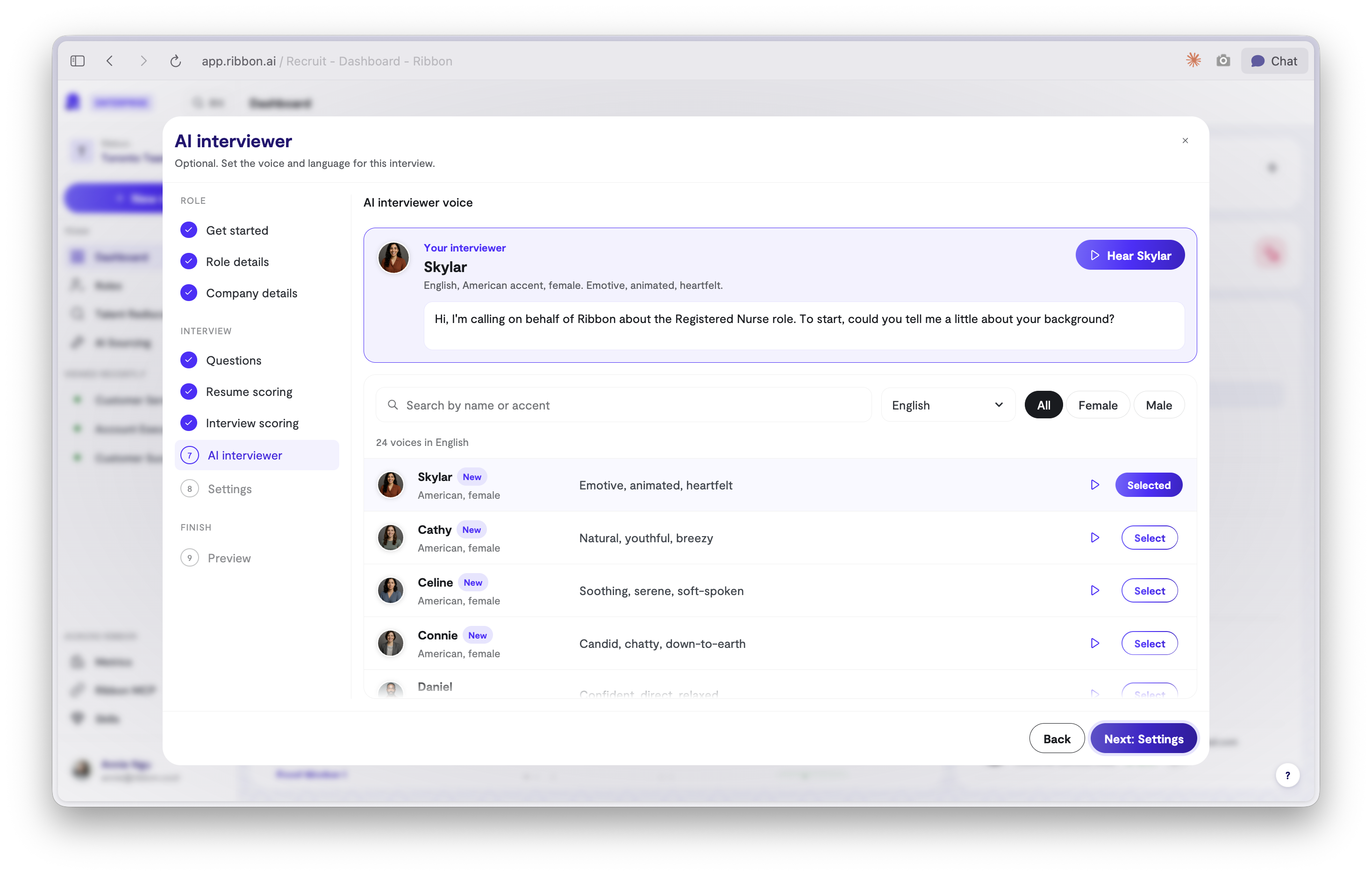
- New, better voices. We added 15+ new voices to choose from.
- Pick with your ears. Stop guessing from a name.
- Match the role. Warm for retail, crisp for engineering.
- Fewer surprises. What you hear is what candidates hear.
🗂️ Candidates, by where they are
Every role now splits candidates into four tabs: Added, Invited, Completed interviews, and Incomplete interview attempts.
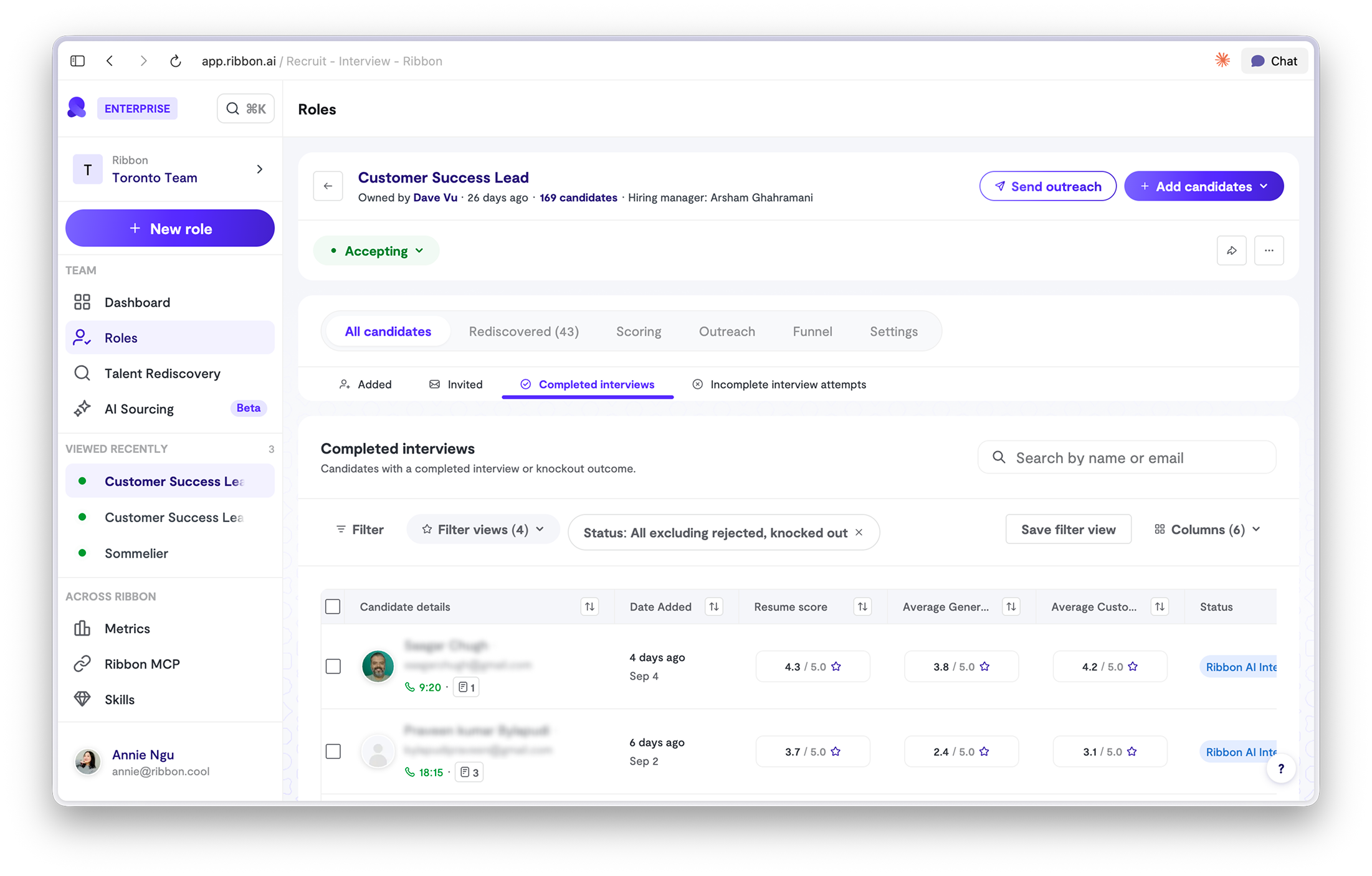
- View candidates by status. Added, Invited, Completed and Incomplete are just a click away.
- See where they stopped. Progress and result for every incomplete interview.
- Chase the right people. A candidate who quit at question 8 is worth a nudge.
Also shipped
Scoring templates
Save a scoring setup once and reuse it across roles.
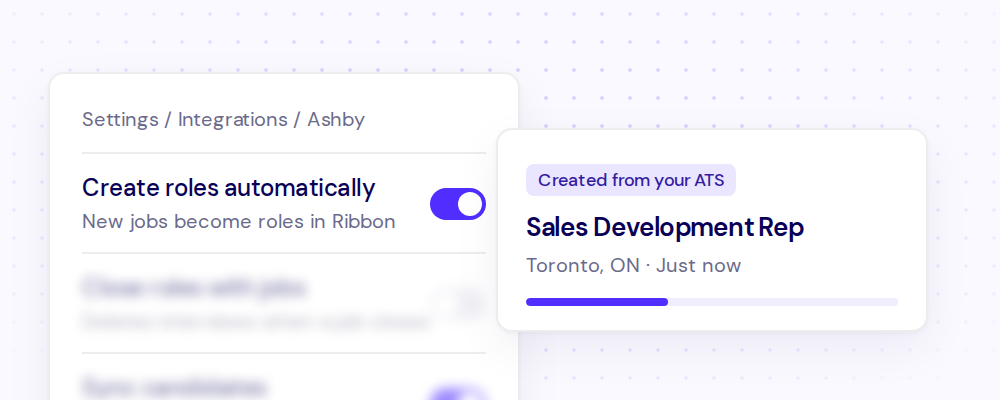
Auto-import roles from ATS
Open a job in your ATS and the role appears in Ribbon, ready to interview. No copy, no paste.
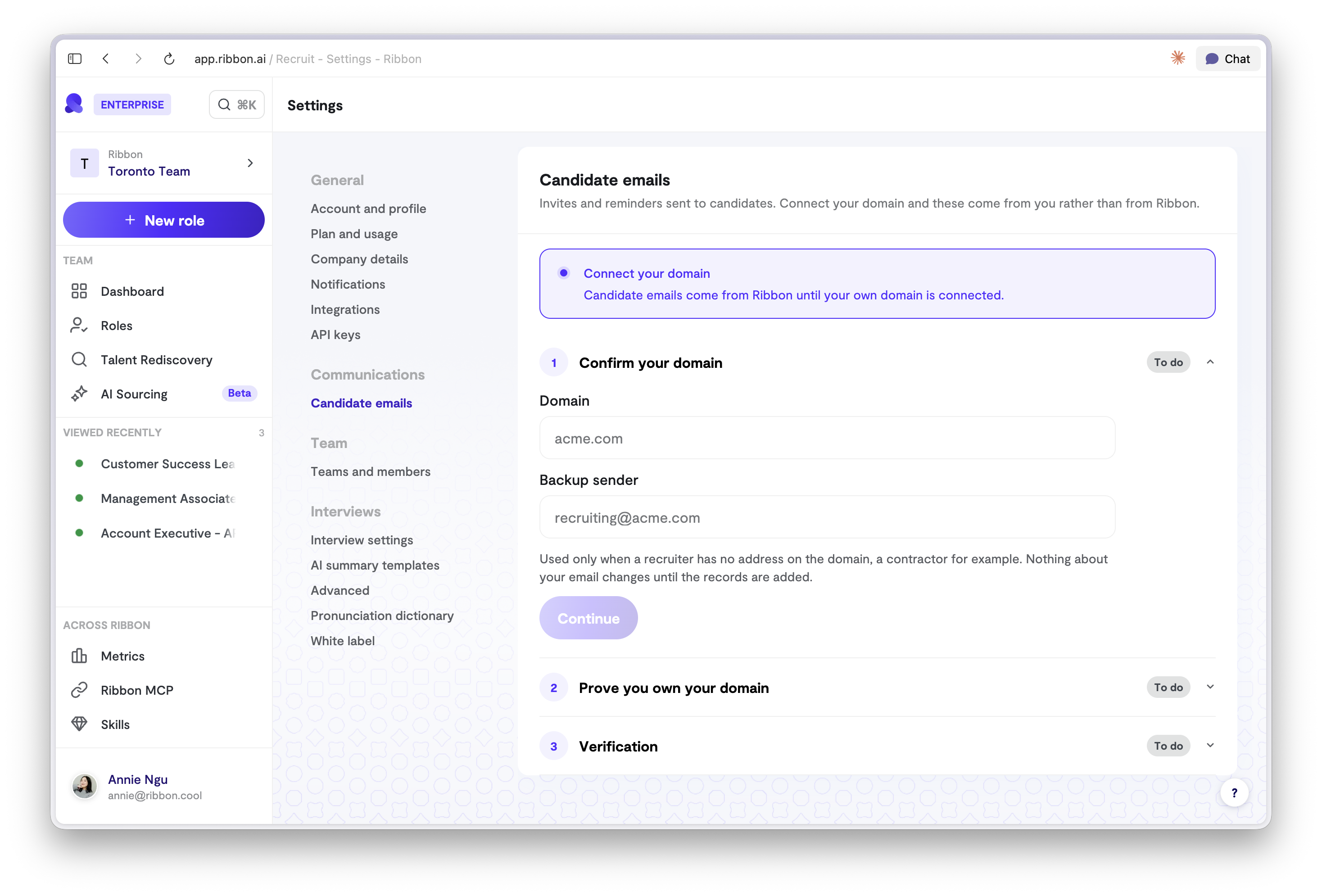
Custom sending domains
Send invites and reminders from your own email address. Settings, Candidate emails.
Also shipped
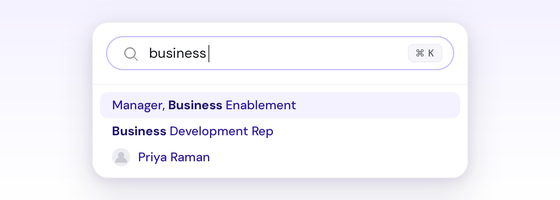
Search from anywhere
Hit Cmd+K on any page to search for a role, a flow, or a candidate. Type a name or an email, use the arrow keys, hit enter. No navigating back to a list first.
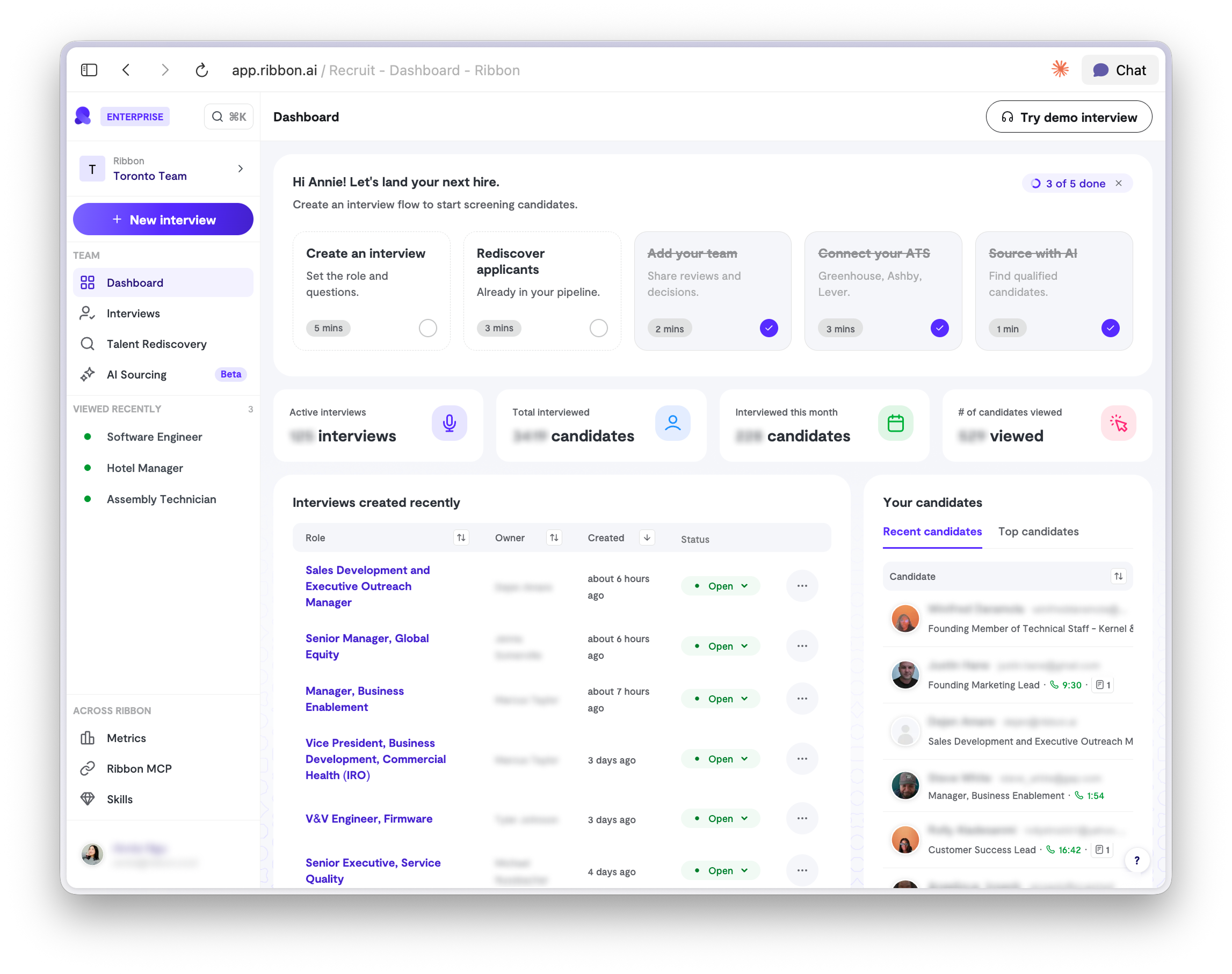
🏠 Dashboard revamped
Open Ribbon and see where hiring stands without opening a single flow. Interviews completed this month, candidates cleared, and every interview created recently with its owner and status.
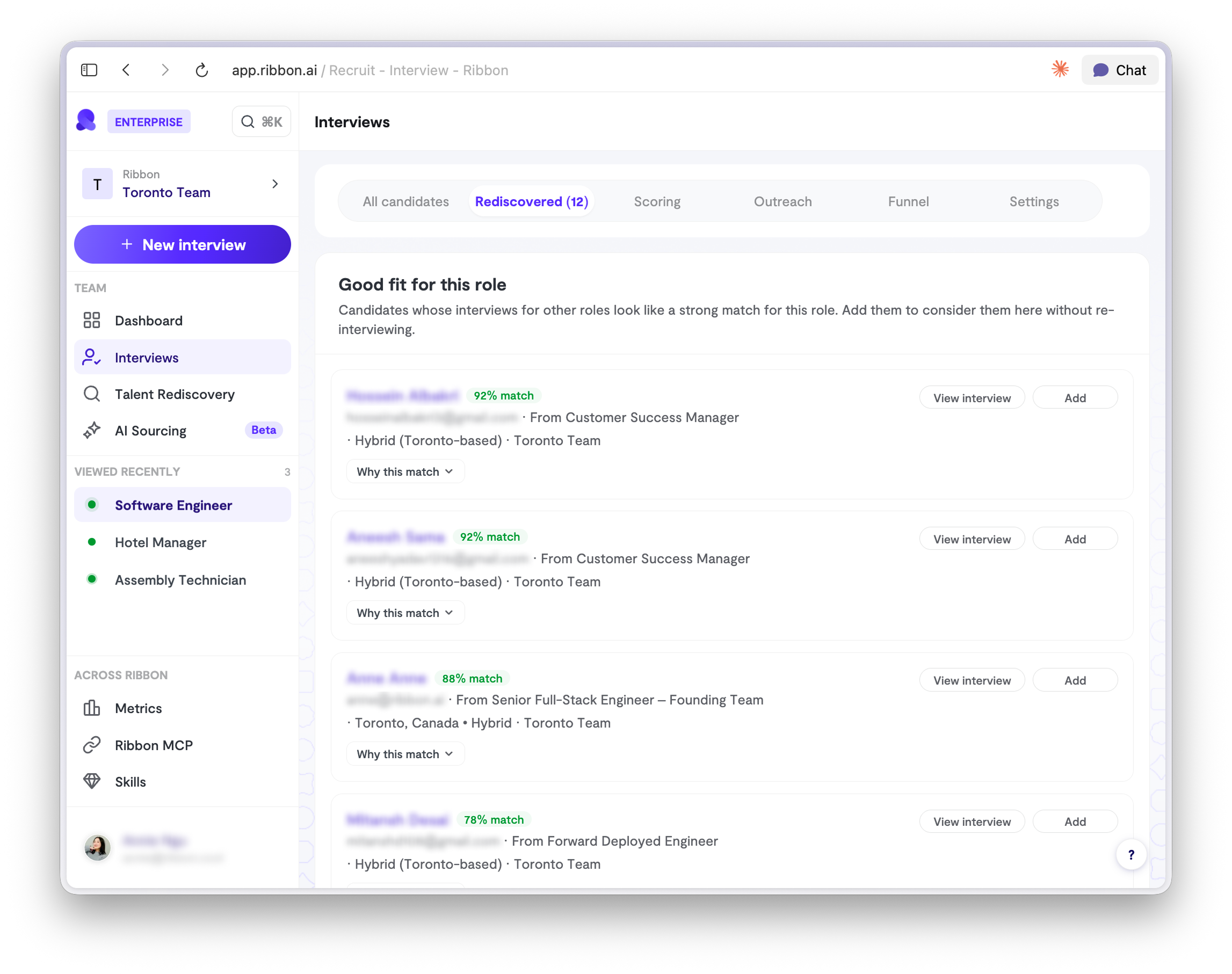
🔎 Rediscovered candidates, per role
Every role now has a tab of people you have already interviewed who fit it. A strong candidate for one role gets surfaced on the next one instead of going cold in your ATS.
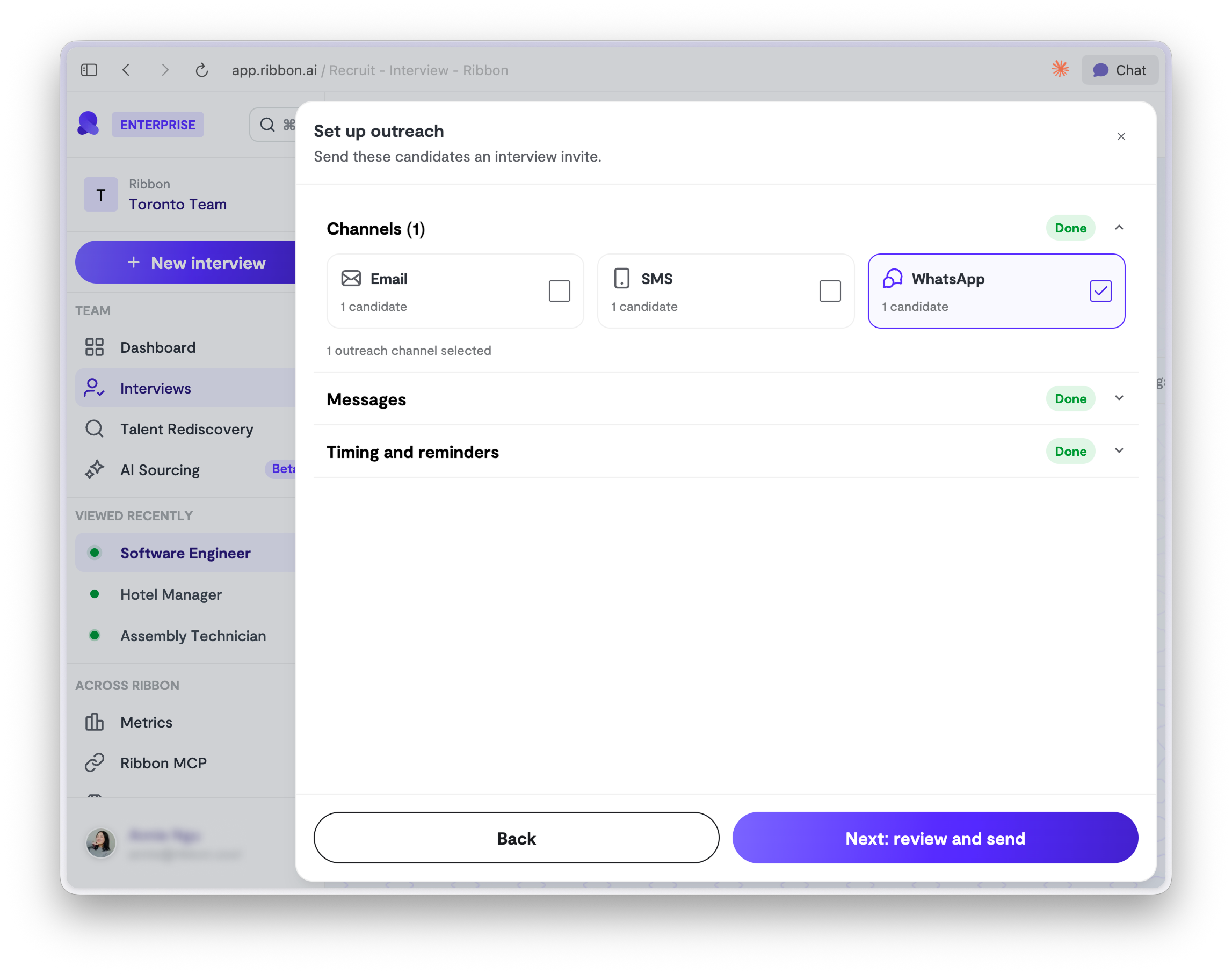
💬 Outreach on WhatsApp
Ribbon can now reach candidates on WhatsApp, not just email. Useful for hourly and frontline roles where inboxes sit unread but messages get answered in minutes.
Also shipped
Access level at invite
Pick someone's access level while you invite them, under Manage Access. No second trip to settings after they join.
Reassign flow owner
Admins can hand an interview flow to someone else. Open the flow, click the menu at the top right, then Reassign Owner.
Tune how hard Ribbon probes.
A slider that sets how much the interviewer digs into an answer. Under AI personality in your flow settings.
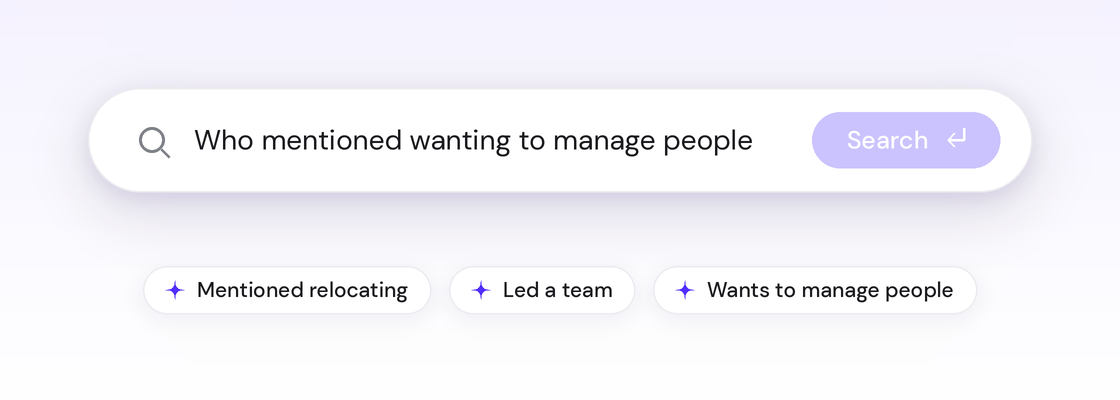
Talent Rediscovery
Your ATS, every resume, and every word of every interview, in one plain English search. An hour of interview per candidate is now fully searchable.
Also shipped
Auto-close with the job
Close a job in your ATS and Ribbon clears the interviews with it. Turn it on in ATS Automation.
Interview link previews
Paste an interview link anywhere and it shows the role and company before anyone clicks.
ATS resume handoff
Candidates imported from your ATS with a resume attached skip the upload step.
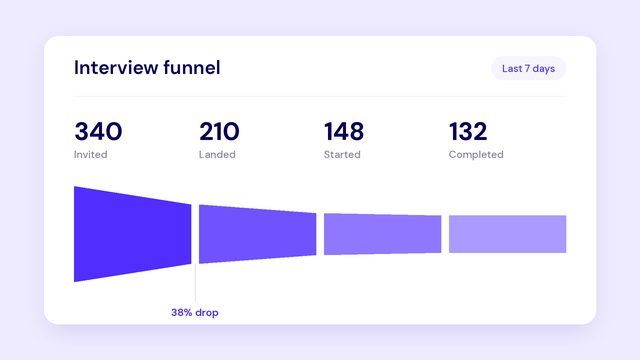
See where candidates drop off
Every interview now has a Funnel tab. See how far candidates get, and where they stop.
Also shipped
A cleaner create interview flow
Setting up an interview got a refresh, including importing a role straight from your ATS.
Checks explain what they found
Email risk and VPN checks now tell you why a candidate passed, not just whether they did.
Scores on the candidate page
Custom scores now show at the top of the candidate page, so you can see them without digging.
Cross-submittal
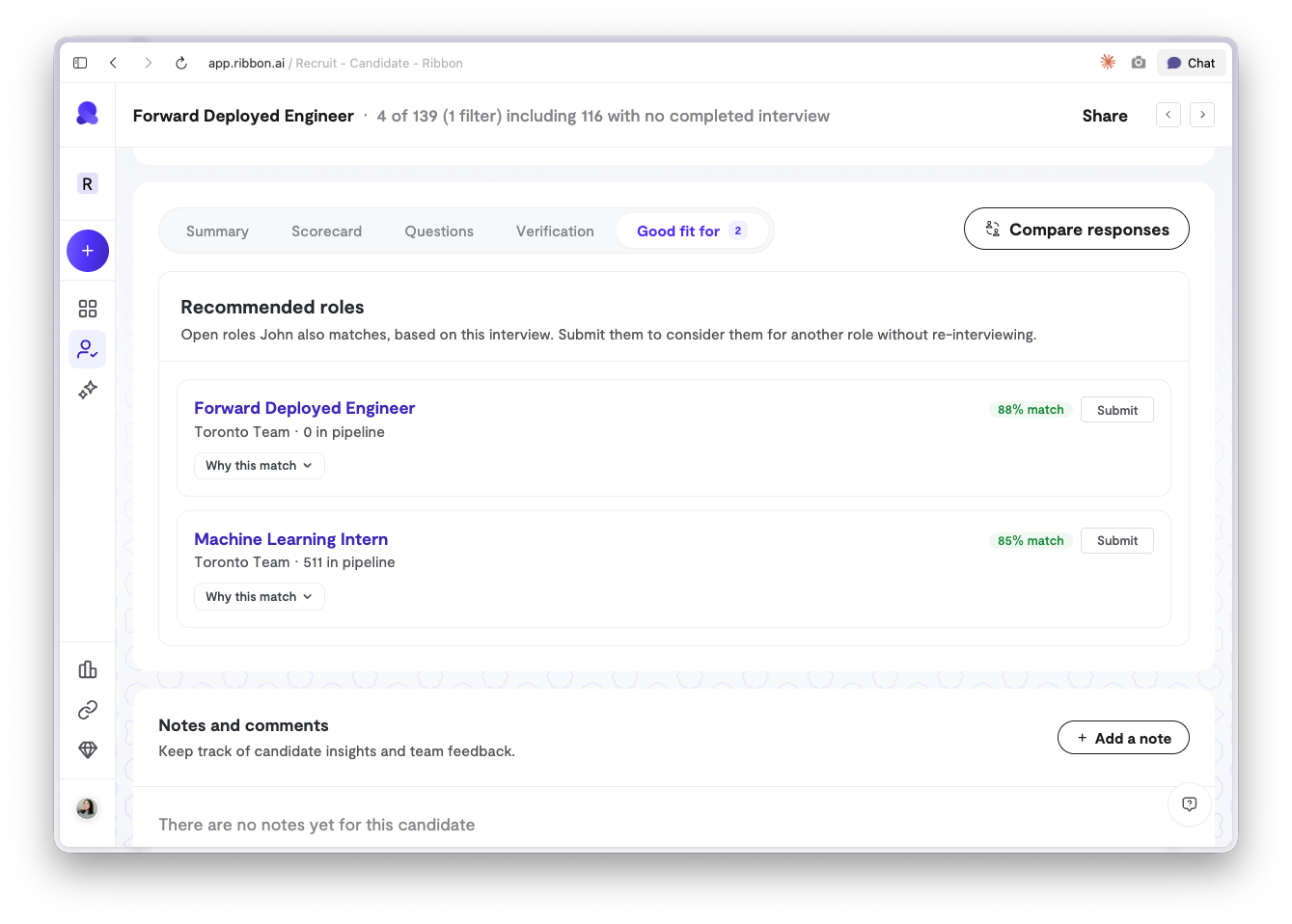
Ribbon scores each completed interview against your open roles and shows you the matches worth acting on, so a strong candidate never stalls in a single pipeline. Open a candidate, go to Good fit for, and hit Submit. Nothing about their original submission changes.
Also shipped
Better pronunciation dictionary
Names, product terms, and industry jargon come through cleaner in the interview, so candidates are not corrected by a robot.
Link Ribbon's statuses to your ATS stages.
Map each in-app status to the matching stage once, and candidate progress stays in sync without manual updates.
Mobile: Interview playback
Reviewing a candidate from your phone no longer breaks partway through the recording.
Team admins can manage interview flow access
No more routing every permission request through a workspace owner. Admins now grant and revoke access for their own team.
Verification signals
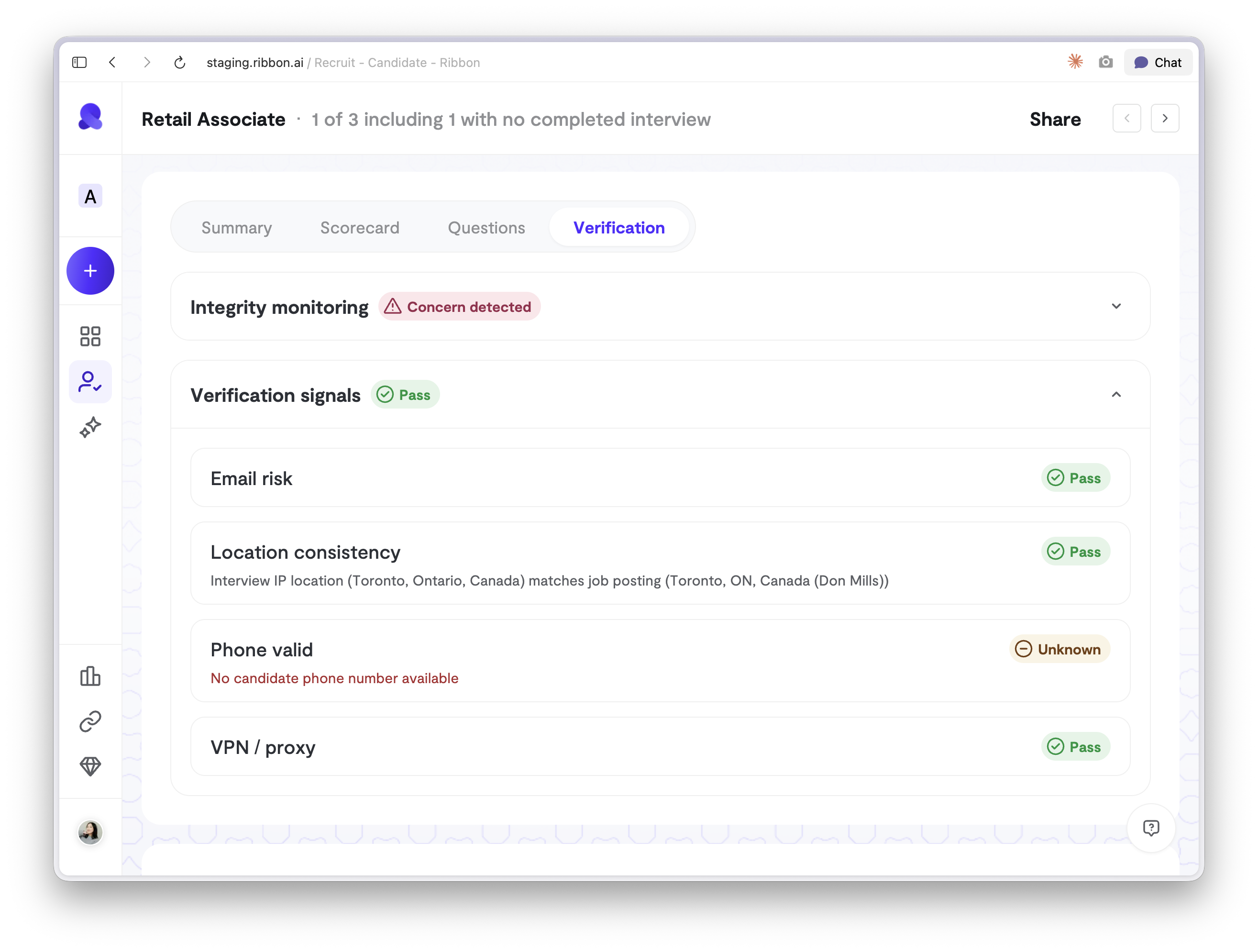
Now you can run a fraud check on any candidate from their Verification tab. We flag anything unusual about their email, connection, or location. You choose when to run it, and only your team sees the result.
Also shipped
Moved: Integrity monitor
Integrity and verification were split across two places. Now every trust signal for a candidate sits under one tab.
Redesigned: Interview Details header
Compare candidates, Manage access, Notify people, and Move to team joined Edit and Duplicate in one menu. Fewer clicks to find the action you want.